Palm m505 and keyboard
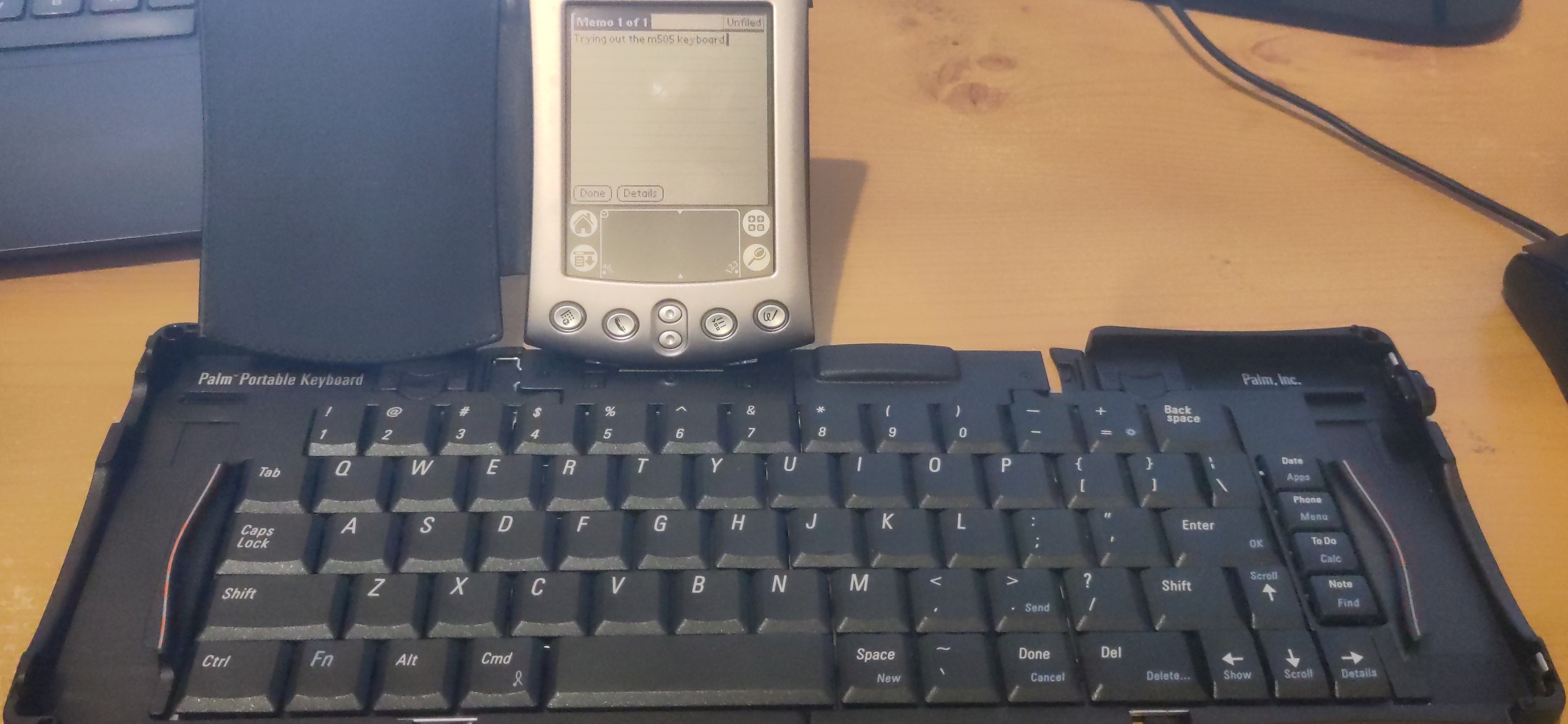
I’ve written before that I used to own a Palm m105, that I bought a second-hand m100, and that I’m fascinated by the idea of writer decks. A while ago I bought a couple of cheap Palm keyboards, but my m100 wasn’t compatible with either of them. Internet searches revealed that one is designed for the m500 series, the other for a Palm 3c.
I kept an eye on eBay, and got a cheap m505. The battery was dead, so it only worked in the cradle, but it came with two cradles and two power supplies. The cradles have USB connectors, so I was able to plug it into my laptop to try synchronising with J-Pilot.
At first J-Pilot wouldn’t work, but I soon found that it would work if I ran it as root, which suggested a permissions issue. To fix that, I had to add my Linux user to the dialout group. Then I had to install a user on the Palm (just a question of selecting the relevant menu item in J-Pilot), and I could synchronise everything.
Having established that I was able to synchronise and install applications on the m505, it was worth trying to replace the battery. Fortunately, I was able to get a battery on eBay and iFixIt have a guide to replacing the battery.
On connecting the m505 to the keyboard, I discovered that it requires a keyboard driver. I downloaded one from PalmDB.net and used J-Pilot to install it.
So I now have a small display and keyboard, making a writer deck that will fit in two pockets. If I type into the built-in memo pad application on the m505, J-Pilot will sync the notes to my Linux desktop, and I can copy/paste the text to wherever I need.
At this point, I’m not sure how much use it will get as a writer deck. If I find it useful, I’ll look into writing applications for the Palm, and other ways to turn the text into a useful format on my desktop. But copy/pasting from J-Pilot is good enough while I’m just trying it out.